
Cookie Consent on Shopify: native banner vs CookieConsent v3. When do you need an alternative?
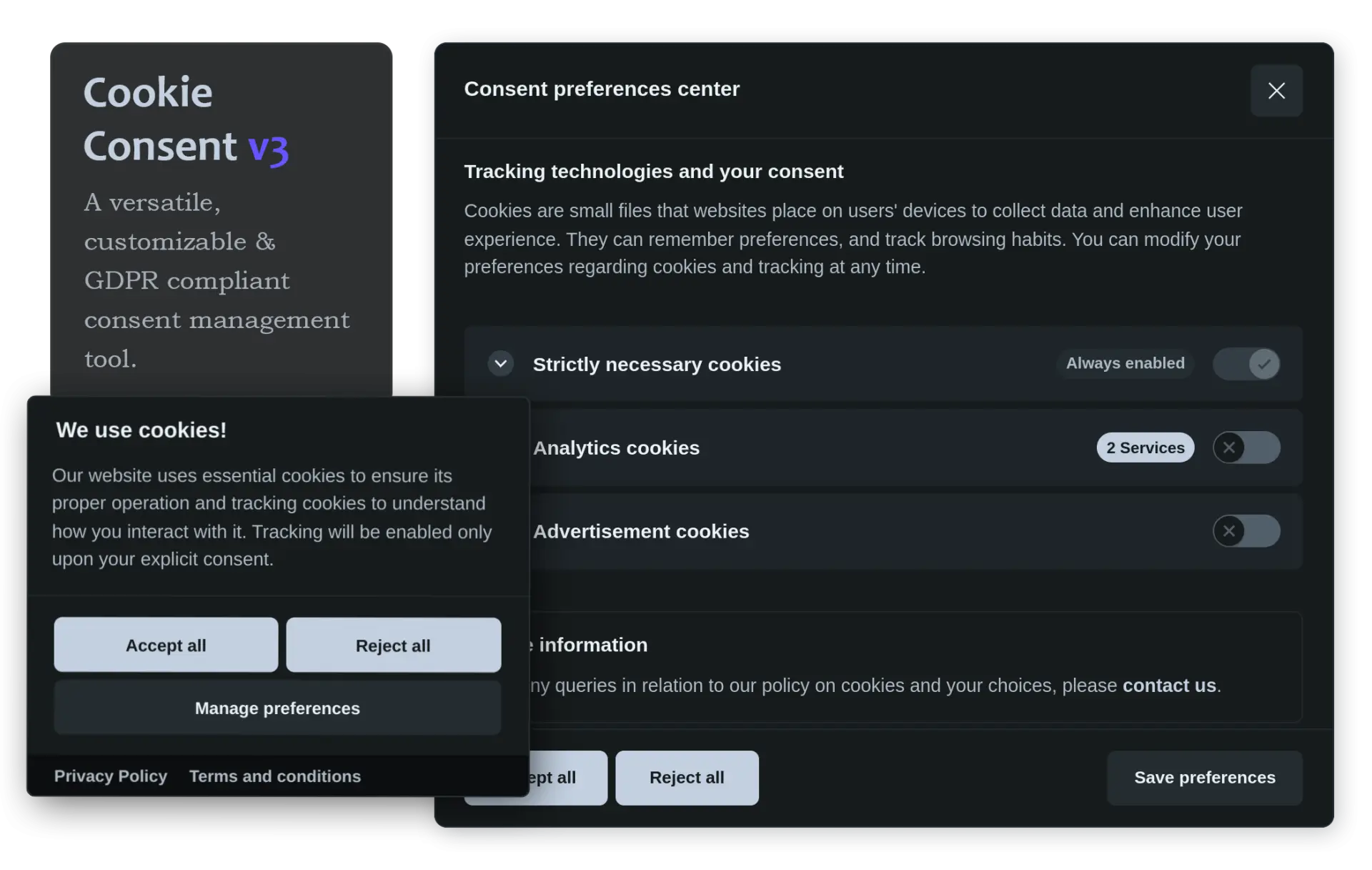
Shopify already includes a native cookie banner that is free and GDPR-compliant. For many stores, it is more than enough. But in certain specific scenarios, you might need something different. In this article, we clarify what the native banner covers, where its limitations lie, and when it makes sense to consider an open-source alternative like CookieConsent v3 (over 5,300 stars on GitHub).
Shopify's native cookie banner: what it does and what it covers
Shopify offers a built-in cookie banner that is free and configurable from Settings > Customer privacy > Cookie banner. Here is what it does: it activates automatically for visitors in regions that require it (EEA, UK) if you have active markets in those areas; it blocks non-essential cookies from Shopify and Shopify Pixels until the visitor gives consent; it supports customization of colors, position, and banner content; it automatically translates into the 20 languages supported by Shopify through the Translate & Adapt app; it includes a link to modify cookie preferences at any time; it automatically generates a privacy policy and a data-sharing opt-out page.
For most Shopify stores that only use apps from the App Store and Shopify Pixels, the native banner is sufficient and GDPR-compliant. There is no need to install anything else.
Where the native banner falls short
The crucial point is stated in Shopify's own documentation: the native banner only manages cookies and pixels from Shopify and apps integrated through the Customer Privacy API. If you have manually installed third-party scripts (not through compatible Shopify apps), the native banner does not control or block them.
In practice, you might need a custom banner if: you have manually added Google Analytics, Google Tag Manager, Meta Pixel, or other tracking scripts directly in the theme or through an app like XO Insert Code; you use third-party services (chat widgets, heatmaps, A/B testing) that are not integrated with Shopify's Customer Privacy API; you want granular control over which individual scripts are activated or blocked based on the visitor's choice, with custom callbacks; you have specific design requirements that the native banner does not meet, or you want a level of interface customization that goes beyond colors and position.
CookieConsent v3: the open-source alternative
If you fall into one of the scenarios described above, CookieConsent v3 is an excellent choice. It is a free JavaScript library (MIT license), with no dependencies, and over 5,300 stars on GitHub. It gives you full control: you define cookie categories, attach onAccept and onReject callbacks to activate or block each individual script, and fully customize the design of the banner and preferences panel. You can try it in the interactive playground: playground.cookieconsent.orestbida.com
How to install it on Shopify without touching the theme code
We advise against editing the theme.liquid file directly: you lose automatic theme updates. Instead, use the free app XO Insert Code (5.0 stars, 112 reviews, certified "Built for Shopify"): XO Insert Code
In the header, add the CSS:
<link rel="stylesheet" href="https://cdn.jsdelivr.net/gh/orestbida/cookieconsent@3.1.0/dist/cookieconsent.css">
In the footer, add the full script that includes integration with Shopify's Customer Privacy API: the onFirstConsent and onChange callbacks automatically sync consent between CookieConsent and Shopify. The autoDetect: 'document' parameter makes the banner multilingual automatically.
How to react to user choices
CookieConsent v3 offers two mechanisms: the data-category attribute on scripts (by adding type="text/plain" and data-category="analytics") and the onConsent and onChange callbacks.
How to add a link to reopen the preferences panel
The GDPR requires that users can modify their cookie preferences at any time. Simply add:
<a href="#" onclick="CookieConsent.showPreferences(); return false;">Manage cookie preferences</a>
Why integration with Shopify's Customer Privacy API matters
Even if you use an external banner like CookieConsent v3, you still need to communicate the visitor's choices to Shopify through its Customer Privacy API. Documentation: shopify.dev/docs/api/customer-privacy.
What about Google Tag Manager? The Lax sandbox issue
On Shopify, GTM scripts loaded through Custom Pixel run in a Lax sandbox (isolated iframe). CookieConsent will not work correctly if loaded through Custom Pixel. The best solution remains loading CookieConsent separately in the header and footer.
Conclusions
Shopify's native banner covers most scenarios. For third-party scripts not integrated with the Customer Privacy API, CookieConsent v3 is a solid and proven alternative. Playground: playground.cookieconsent.orestbida.com. GitHub: github.com/orestbida/cookieconsent.
Example code
<script type="module">
import 'https://cdn.jsdelivr.net/gh/orestbida/cookieconsent@3.1.0/dist/cookieconsent.umd.js';

// Sync visitor choices with Shopify's Customer Privacy API
function syncConsentWithShopify() {
  var analytics = CookieConsent.acceptedCategory('analytics');
  var marketing  = CookieConsent.acceptedCategory('marketing');
  window.Shopify.customerPrivacy.setTrackingConsent(
    { analytics: analytics, marketing: marketing, preferences: analytics },
    function() { console.log('Consent synced with Shopify'); }
  );
}

// Load the Customer Privacy API, then start CookieConsent
window.Shopify.loadFeatures(
  [{ name: 'consent-tracking-api', version: '0.1' }],
  function(error) {
    if (error) return;

    CookieConsent.run({
      categories: {
        necessary: { enabled: true, readOnly: true },
        analytics: {
          autoClear: {
            cookies: [{ name: /^_ga/ }, { name: '_gid' }]
          }
        },
        marketing: {}
      },

      // Sync with Shopify on first consent and on every change
      onFirstConsent: function() { syncConsentWithShopify(); },
      onChange:       function() { syncConsentWithShopify(); },

      language: {
        default: 'it',
        autoDetect: 'document',
        translations: {
          it: {
            consentModal: {
              title: 'Questo sito utilizza i cookie',
              description: 'Utilizziamo cookie per migliorare la tua esperienza.',
              acceptAllBtn: 'Accetta tutti',
              acceptNecessaryBtn: 'Solo necessari',
              showPreferencesBtn: 'Gestisci preferenze'
            },
            preferencesModal: {
              title: 'Preferenze cookie',
              acceptAllBtn: 'Accetta tutti',
              acceptNecessaryBtn: 'Solo necessari',
              savePreferencesBtn: 'Salva preferenze',
              closeIconLabel: 'Chiudi',
              sections: [
                { title: 'Cookie necessari',  description: 'Essenziali per il funzionamento del sito.', linkedCategory: 'necessary' },
                { title: 'Cookie analitici',  description: 'Ci aiutano a capire come usi il sito.',    linkedCategory: 'analytics' },
                { title: 'Cookie di marketing', description: 'Usati per mostrarti annunci pertinenti.', linkedCategory: 'marketing' }
              ]
            }
          },
          en: {
            consentModal: {
              title: 'This website uses cookies',
              description: 'We use cookies to improve your experience.',
              acceptAllBtn: 'Accept all',
              acceptNecessaryBtn: 'Necessary only',
              showPreferencesBtn: 'Manage preferences'
            },
            preferencesModal: {
              title: 'Cookie preferences',
              acceptAllBtn: 'Accept all',
              acceptNecessaryBtn: 'Necessary only',
              savePreferencesBtn: 'Save preferences',
              closeIconLabel: 'Close',
              sections: [
                { title: 'Necessary cookies', description: 'Essential for the website to function.', linkedCategory: 'necessary' },
                { title: 'Analytics cookies', description: 'Help us understand how you use the site.', linkedCategory: 'analytics' },
                { title: 'Marketing cookies', description: 'Used to show you relevant ads.',            linkedCategory: 'marketing' }
              ]
            }
          }
        }
      }
    });
  }
);
</script>